
 English
 中文
中文Product List
Contact US
Shenzhen Mids-Led Technology Co., Limited
Business contact:
sales1 QQ:3246745805
sales2 QQ:1493246107
sales3 QQ:895362930
Skype/Microsoft Teams : mids.led
Tech.support :
TEL : 15655245973(Mr.Qiao)
Mail: support@mids-led.com
info@mids-led.com
Address:Hengchao Industry Park, zhoushi Rd., Shiyan Town, Bao'an District, Shenzhen,China
website: www.mids-led.com
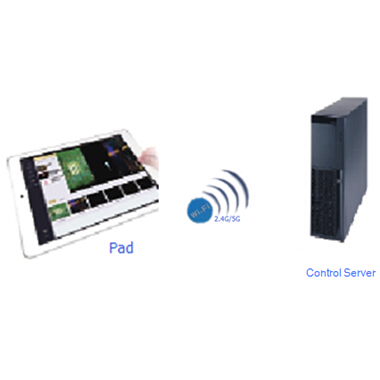
What is the MIDS mobile smart control system?
MIDS mobile smart control system by moving the client (tablet, mobile phone) using wireless network to control the display
of information content distribution, with nimble, easy to use. MIDS system with powerful software features, not only can be
applied to single LED / LCD / PDP / DLP and other screen content playback control, but also can be used for multiple LCD
/ LED display splicing, synchronous and asynchronous playback control, mobile devices and large-screen synchronized
playback, and it also can be applied to meeting room, product launches, event, exhibition, villas, outdoor advertising, hotel
ballrooms and Other.
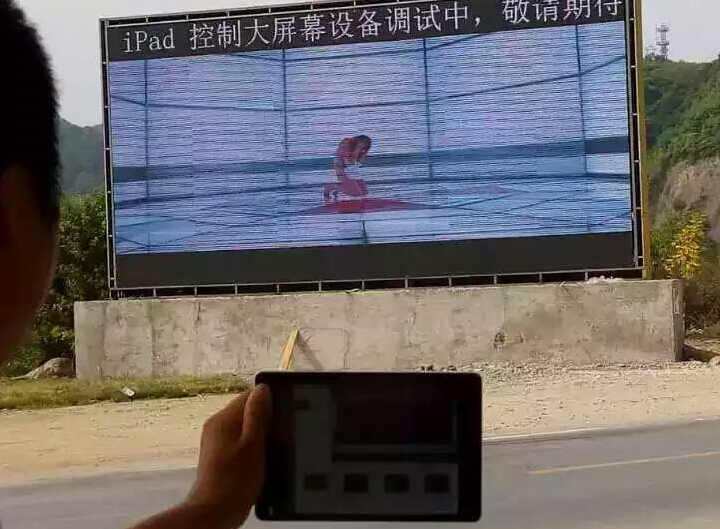
MIDS system software functions are summarized as follows:
l Multi-channel audio mixed collection and synchronous conversion of analog audio into numeric audio;
l Synchronous real-time preview and switchover of 4-channel (expandable 8-channel) 1080P HD high-definition numeric camera or notebooks or other high-definition video sources;
l Simultaneous play of 6-channel (expandable 8-channel) 1080P local video, and list editing of local video
file lists, creation of several lists, delete lists, list ordering, list circulation, single file circulation, multi-channel
live broadcast/video on demand video preview, single -channel /multi-channel pause, single -channel/multi-channel FF & REW, drag to play, video fast switchover to the display screen to play;
l Supporting different videos, with the picture formats including: AVI, RMVB, FLV, MP4, 3GP, MPEG, RM,
WMV, VOB, MOV, MKV, ASF, DAT, M4V, JPG/JPEG, BMP, PNG, GIF, PowerPoint, Excel, Word, etc;
l User-defined window layout capable of fast division of the window square mode as required and user-defined
creation of the window square mode. If it is necessary to control LEDs in different sizes, it is required to create a
resolution window of the same size based on the LED’s resolution to achieve point-to-point output of different
screens in different sizes.
l It can set control functions such as single file play and list repeated play, etc;
l To display screen output content videotapes and live broadcast videotapes (for live broadcast signal
videotapes), and videotape playback;
l The remote desktop takes Pad as wireless mouse and keyboard operation server and server software and
facilitates the server software quitting and the server closing;
l To add high-definition subtitles, you can set various fonts, subtitle background colors, transparency,
whether rolling subtitles roll, multi-line subtitle input;
l Pad adjustment to play window sizes to achieve the zoom of any size of display screen windows as well as
point-to-point output of display screen resolution;
l Supporting Pad and display screen synchronous play, with less delay when the network is normal;
l Supporting multi-channel video stitching, with the stitching mode as user-defined, providing 4 (or 6) 1080P
stitching and supporting users in customizing more stitching with greater resolution;
l Supporting a set of server synchronous and asynchronous up to 4-screen play control capable of stitching play, and singly and independently playing each screen, and supporting
several square modes;
l Supporting the switchover with several display effects by video processing, including special efficiency
fade-in and fade-out, adjustment to the brightness of output images, contrast, saturation, tone, sharpening, self-adaption frame deinterlacing, reduction of noise, motion compensation and elimination of smear and other
application demands under different scenes of videos;
l Supporting serial port setting of LED cards by Pad;
l Supporting Office’s perfect play, including PPT animation, PPT containing audios and viedos, PPT
automatic page turning, Word, Excel page turning, enlarge and zoom;
l Supporting USB-disk file scan;
l Supporting PS4, XBOX video game source input, and supporting 60fps;
l Real-time brightness control (0-255) and volume control (0-100).
MIDS Function Parameters :
● Folder operations management functions | PIP screen zoom | √ | |
● Two local taped | PIP screen Roaming | √ | |
● File and live preview, playback | Four split screen | √ | |
● Split screen mode, a screen, PIP, 4 pictures | Split screen Full Zoom | √ | |
● Synchronization Video | Input signal Normal / disconnection detection | √ | |
● Adding subtitles | Output signal Normal / stability testing | √ | |
● a key to adjust the brightness, volume | Multiple input signals Preview / pre-monitoring | √ | |
● Image optimization | Large screen synchronous preview / pre-monitoring | √ | |
● Virtual Keyboard | Irregular lock screen resolution | √ | |
● ipad mini | List Function Deployment | ||
Function parameter | Create an unlimited list | √ | |
注: √ Standard O Optional | Add unlimited play content | √ | |
Parameter Configuration | Free listing name | √ | |
Storage capacity | List File Auto Screenshot Preview | √ | |
500G 7200R SATA | √ | List File Name Display | √ |
1000G 7200R SATA | O | List Files Play Time Display | √ |
2000G 7200R SATA | O | Create list and Custom name | √ |
3000G 7200R SATA | O | Save List | √ |
Playback controls | List Editor | √ | |
Two local taped | √ | Drag any sort | √ |
Fast forward / rewind | √ | Video and other features | |
Previous / next | √ | Y Remote Desktop of tablet which Simulate mouse and keyboard | √ |
Play pause /wait | √ | Add captions and display settings | √ |
Single cycle | √ | Taped file type compatible | |
List cycle | √ | PowerPoint(PPT File) | √ |
Video seamless switching | √ | Word | √ |
Volume Control(0-100) | √ | Excel | √ |
Brightness Control(0-255) | √ | HD Picture File | √ |
Screen Mode | 4K Video File | O | |
Whole screen | √ | 1080P Video File | √ |
PIP (picture in picture window) | √ | Other Resolution Video File | √ |